Custom Action Template 1 – Get User Preferences
Last updated: June 23, 2025
What does the "Get the User Preferences from GoHighLevel" action do?
This custom action retrieves a contact’s details like First Name Lower Case, Company Name, Contact Id, etc. By calling this action within your Synthflow AI script, you can personalise the conversation using the customer's name or verify if the user is an existing contact.
What input parameters does the action require?
Parameter | Type | Required | Description |
| string | Yes | The contact you wish to look up on GHL. Example: +123456789 |
| string | Yes | Location ID in which the search needs to be performed. Example: 5DP41231LkQsiKESj6rh |
How do I configure this action in Synthflow AI?
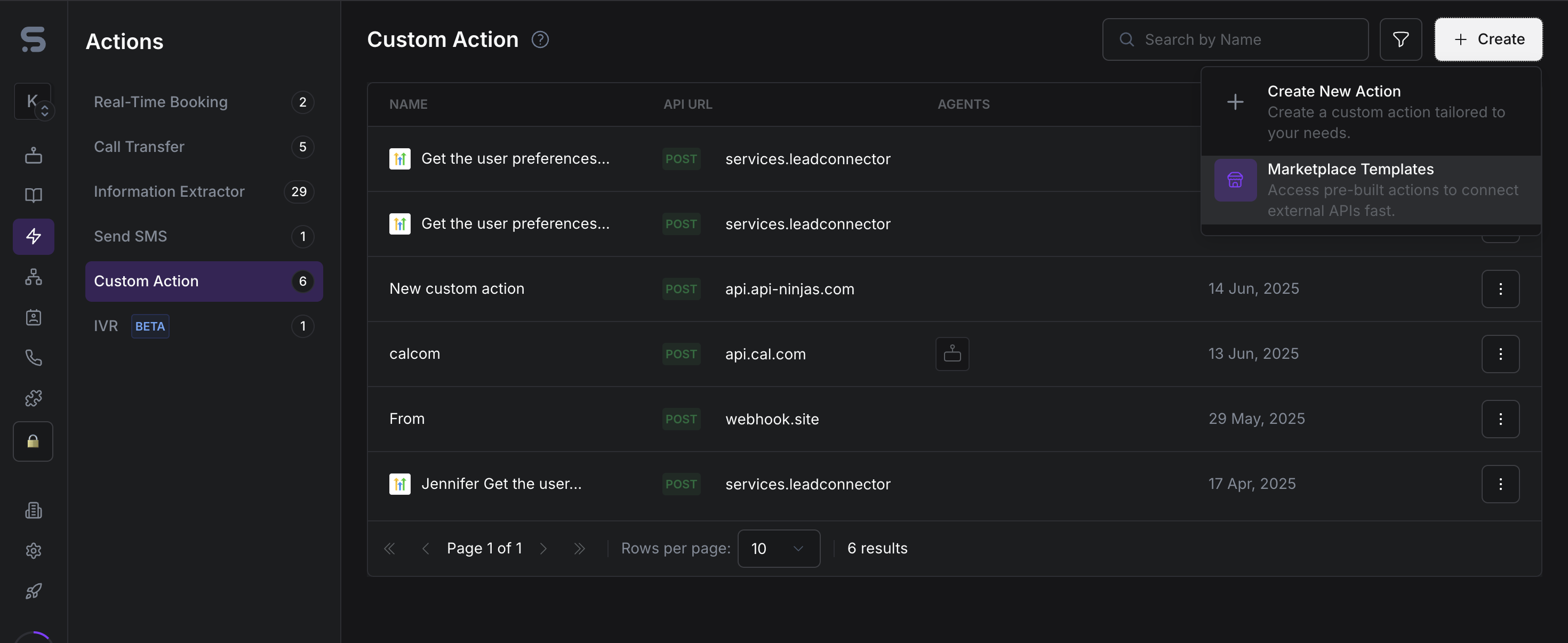
Create the Custom action by navigating to Actions -> Create -> Marketplace Templates
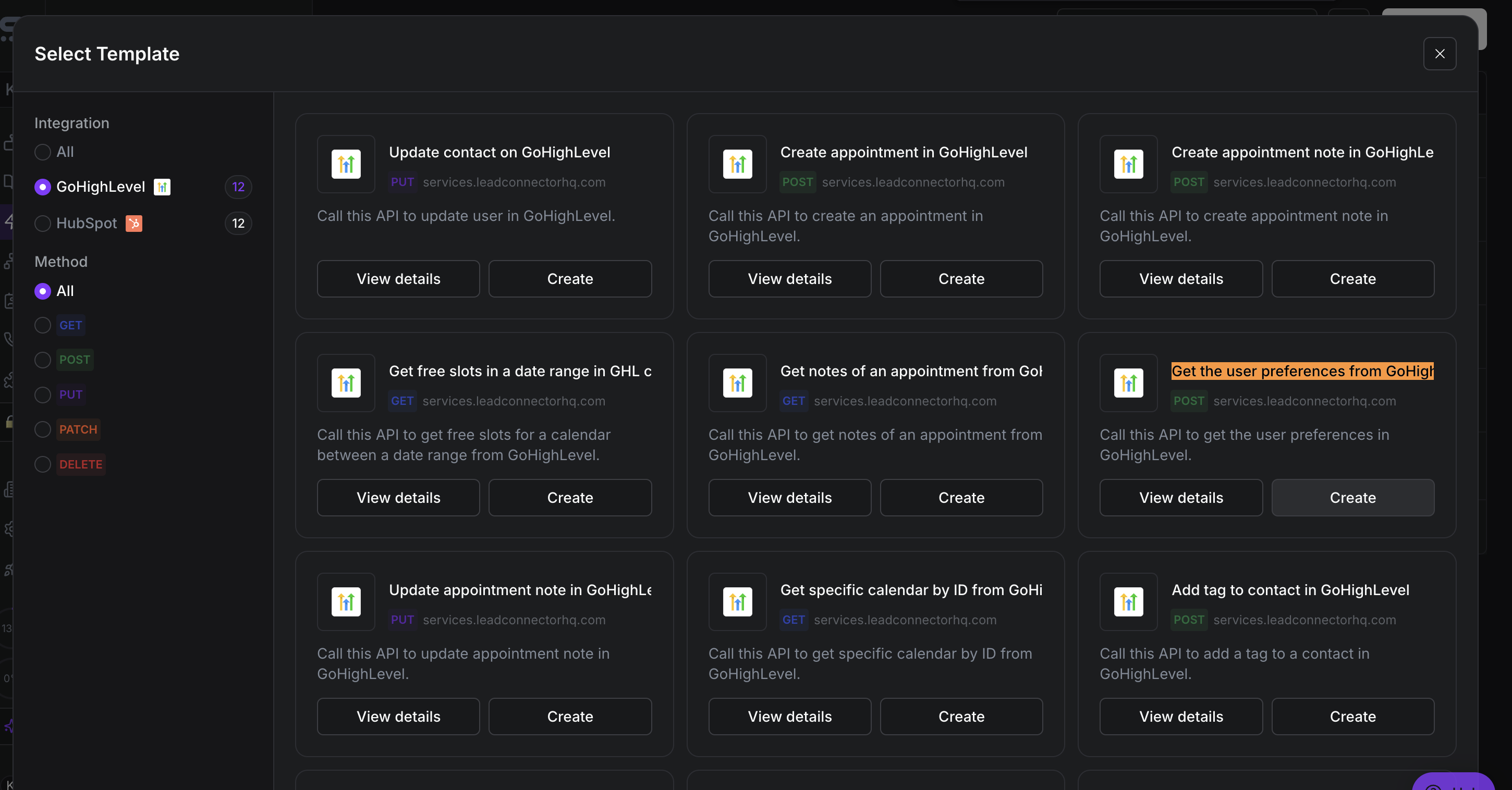
Select "Get the user preferences from GoHighLevel" -> Create
You can attach it to the assistant, allowing you to pass both the LocationID (as a constant) and the phone number, which will be dynamically generated by the LLM during the interaction.
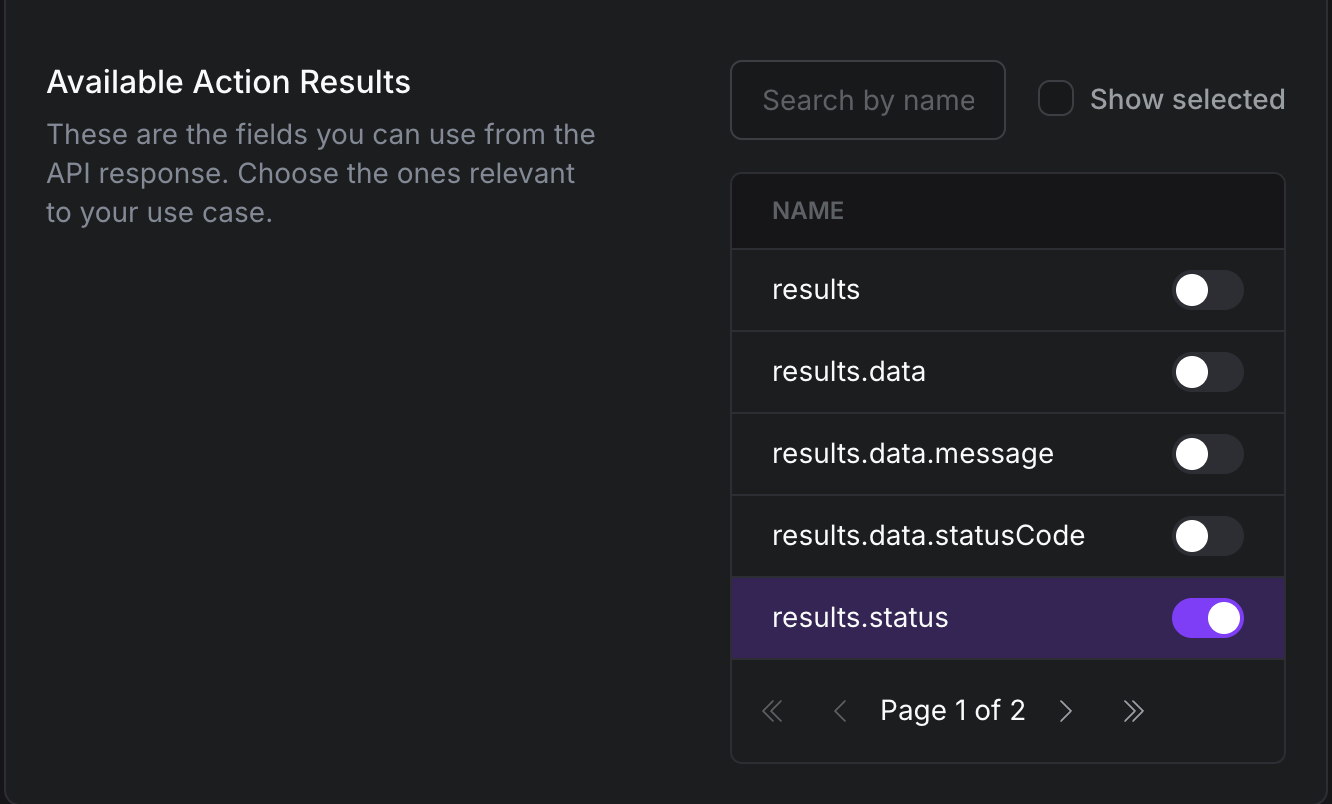
Select the results of your choice that you wish to use within the assistant's Prompt.
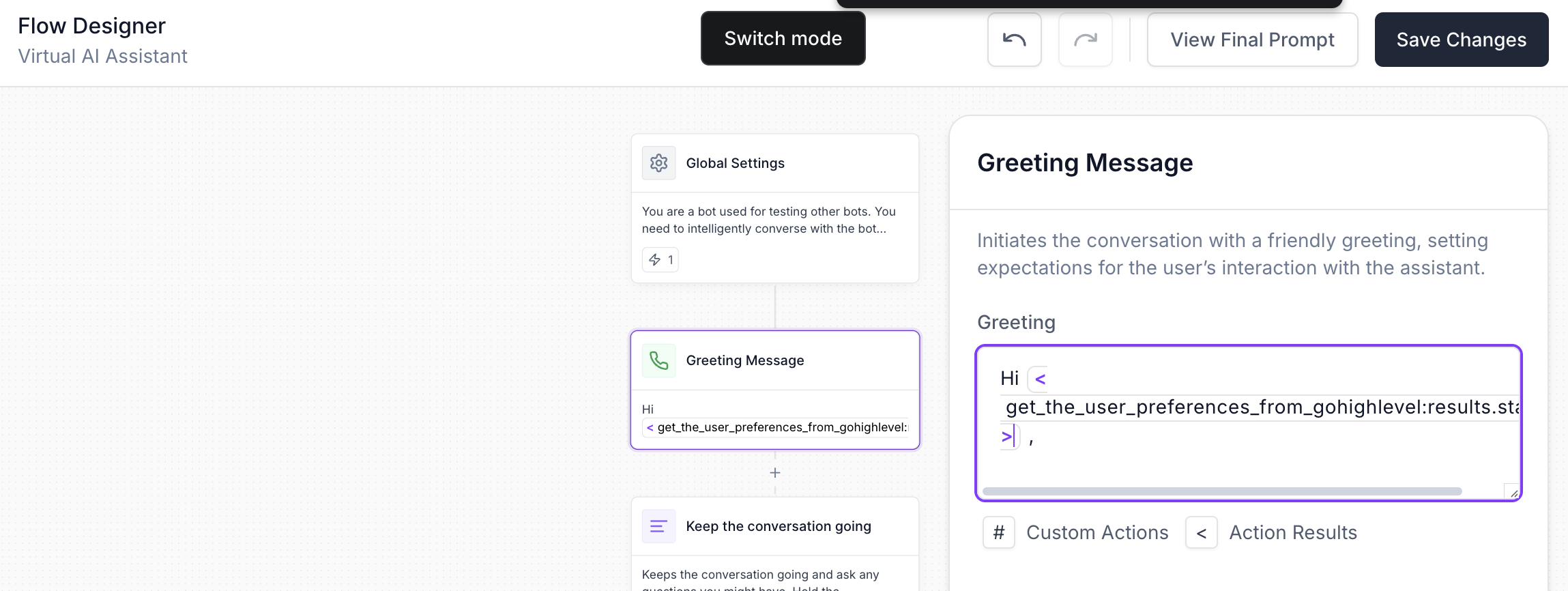
Declare the action as a Global Variable and use the results within the Greeting or the call script.
Error Handling:
401 Unauthorized
Fix: Verify and update your API key or OAuth token; ensure it hasn’t expired.403 Forbidden
Fix: Grant your token the necessary scopes/permissions for the specified location.404 Not Found
Fix: Confirm the phone number and location ID are correct; prompt the user to mention the number again and create a new contact.500 Internal Server Error
Fix: Retry the request after a short wait; if the issue persists, contact GoHighLevel support.