Implement Inbound Webhook via Synthflow Workflows
Last updated: July 23, 2025
Purpose
This instruction outlines how to gather caller-specific data (e.g., name, email) before answering an inbound call using Synthflow’s visual workflow builder. This is particularly helpful for returning callers where personalized service is required.
Workflow Overview
The workflow consists of:
Catch Webhook
Send HTTP Request
Return Response
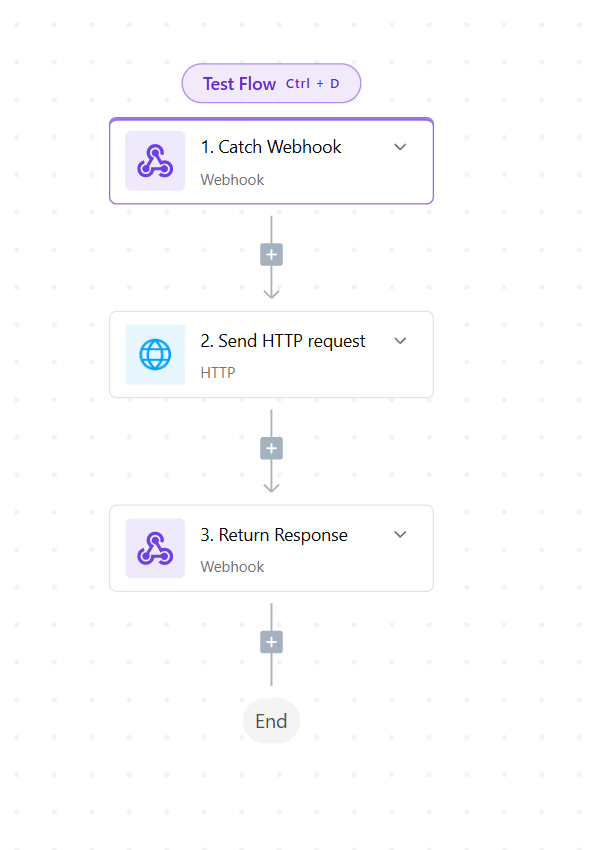
Step-by-Step Instructions
1. Configure the Catch Webhook
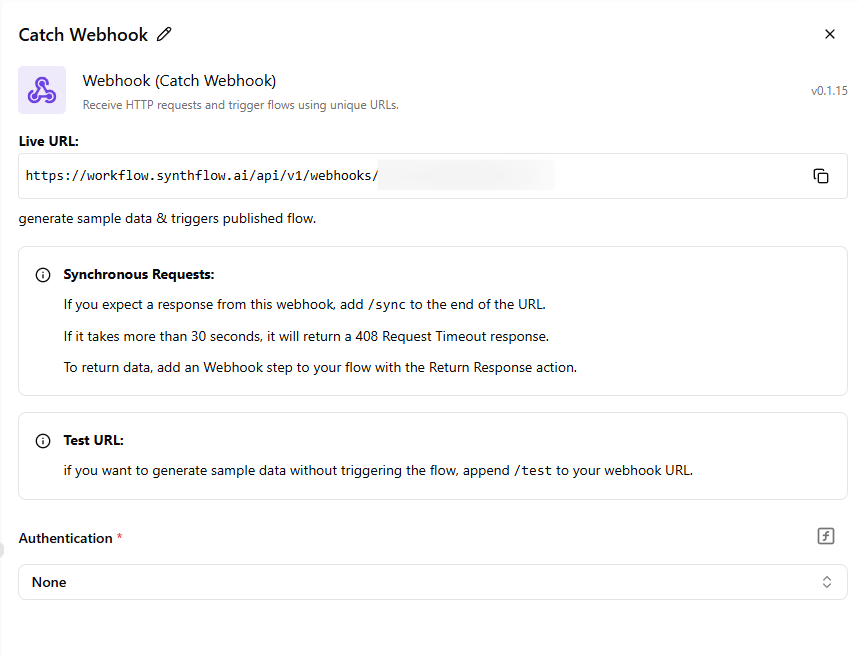
Navigate to your workflow builder and add a Catch Webhook step.
Copy the Live URL shown in the Catch Webhook configuration (example below).
Go to your agent in Synthflow > Deployment tab.
Paste the Live URL into the Inbound Webhook section.
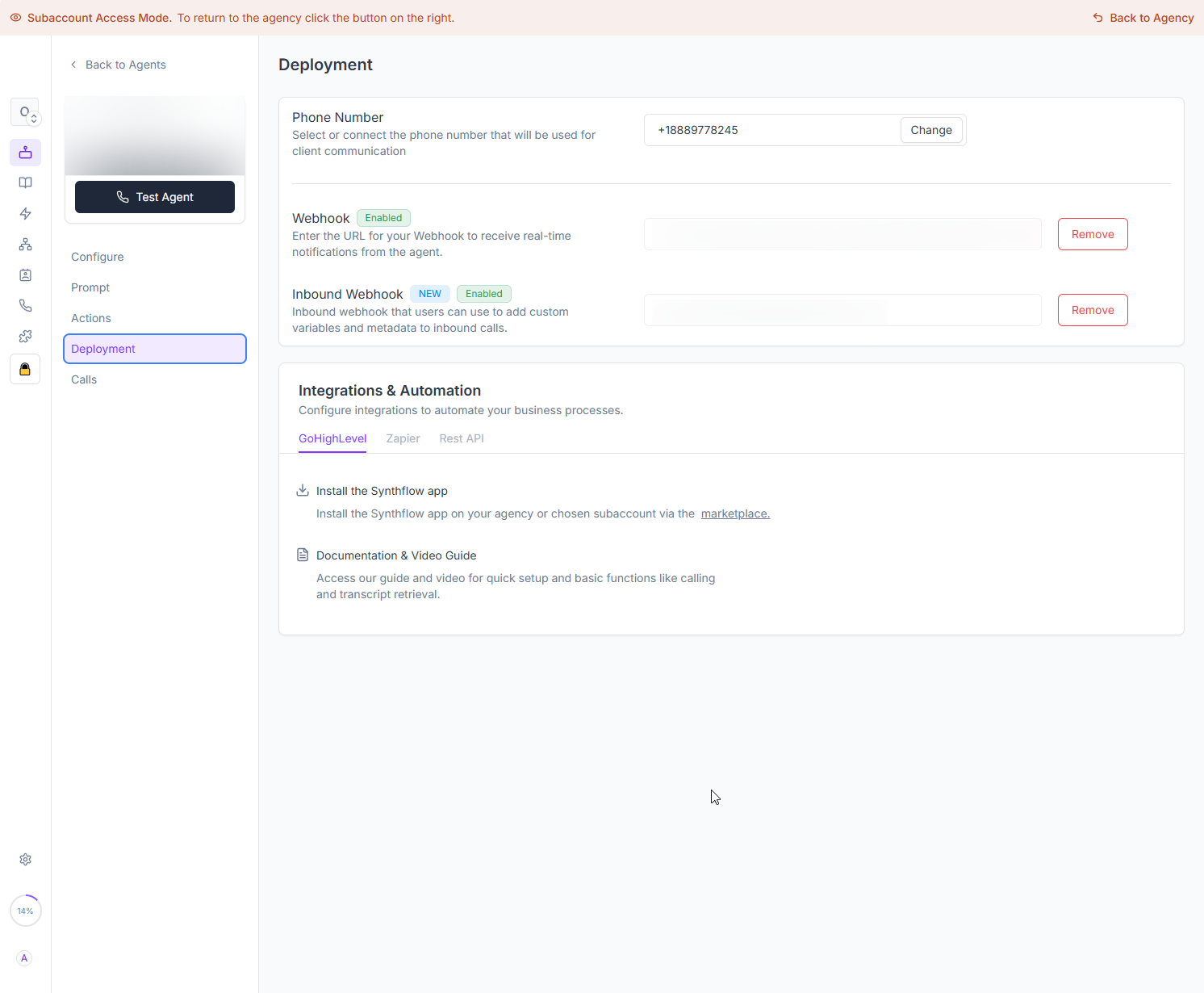
🔹 Important: PLEASE NOTE IF YOU ARE USING THIS METHOD ADD /sync TO THE END OF YOUR URL FROM THE WORKFLOWS!
Trigger the webhook first before initializing in the deployment settings, this will make sure the Sample data comes in correctly.
2. Configure the Send HTTP Request
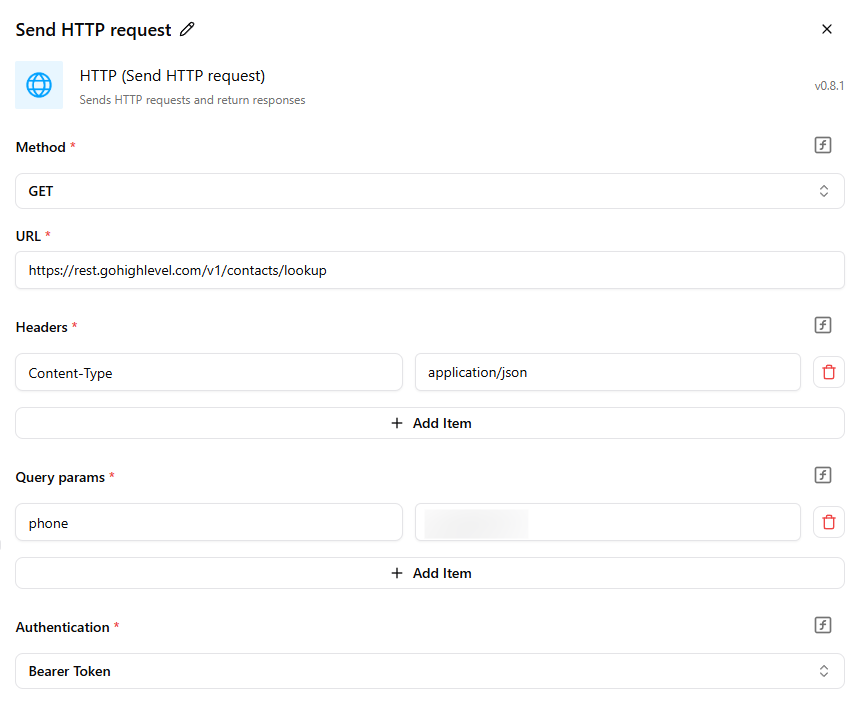
After the webhook is caught, add a Send HTTP Request step.
Use the following configuration:
Method:
GETURL:
https://rest.gohighlevel.com/v1/contacts/lookupHeaders:
Content-Type: application/json
Query Params:
You may use:
phone(recommended)or
email
These are pulled from the initial webhook trigger dynamically.
3. Return the Response to Synthflow
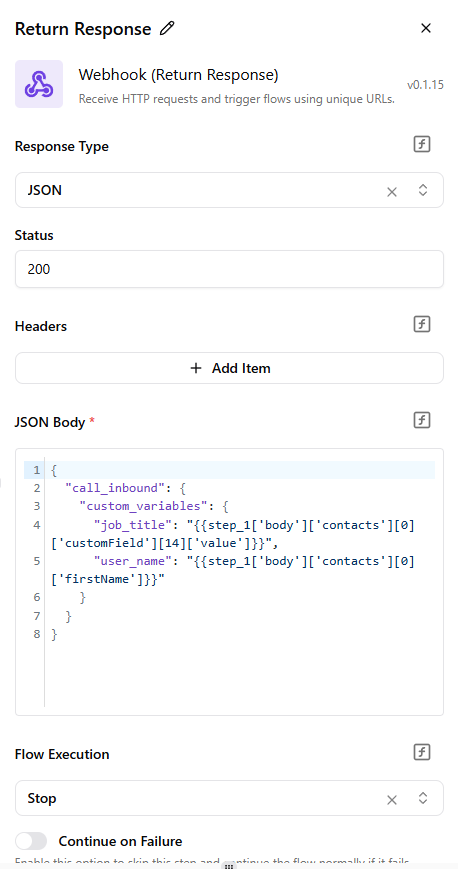
Add the final Return Response step.
Set the Response Type to
JSON, Status to200, and return the desired fields from the HTTP response.
Example return payload:
jsonCopyEdit
{"call_inbound": { "custom_variables": { "email": "test@gmail.com", "phone": "{{trigger.body.call_inbound.from_number}}", "user_name": "{{step_1.body.contacts[0].firstName}}" }}}
🔹Important: THE VARIABLE "lead_name" SHOULD NOT BE USED IN THE RETURN RESPONSE.
What This Enables
Using this workflow:
You can dynamically enrich inbound calls with user-specific metadata.
Allows agents to greet callers by name or access their contact details automatically.
Ideal for handling repeat callers with known phone numbers or emails.