Investigating SIP calls
Last updated: April 16, 2026
We have a nice UI that enables to check the call logs. The url is the following:
Dev environment: https://sip3-ui.synthflow.dev/#/search/advanced
Prod environment: homer-ui.synthflow.dev/dashboard/home
You can get the login credentials at Synthflow 1Password vault.
For Homer, you can use google Auth with your Synthflow account.
Then to set it up, please click on the grid icon
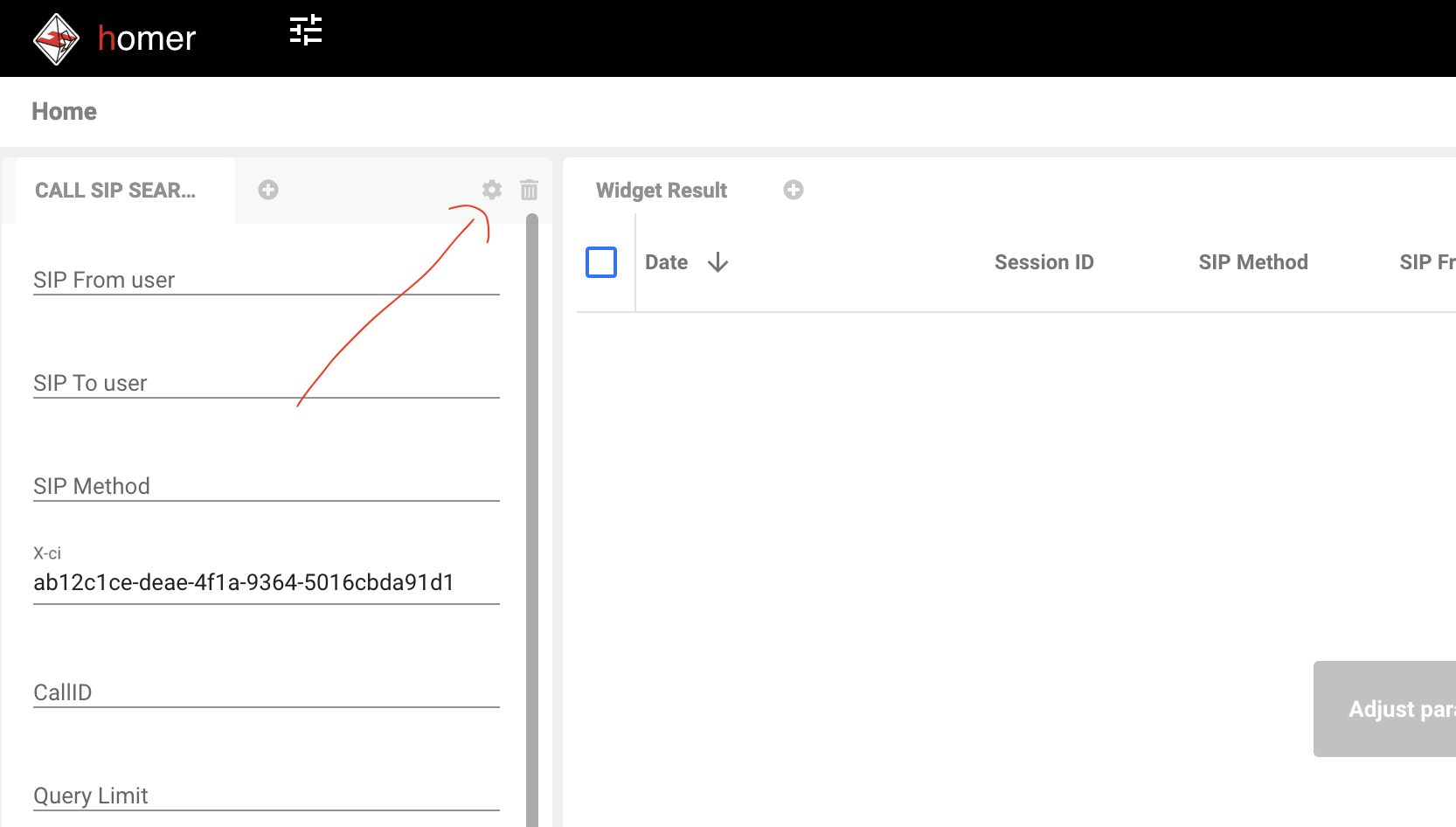
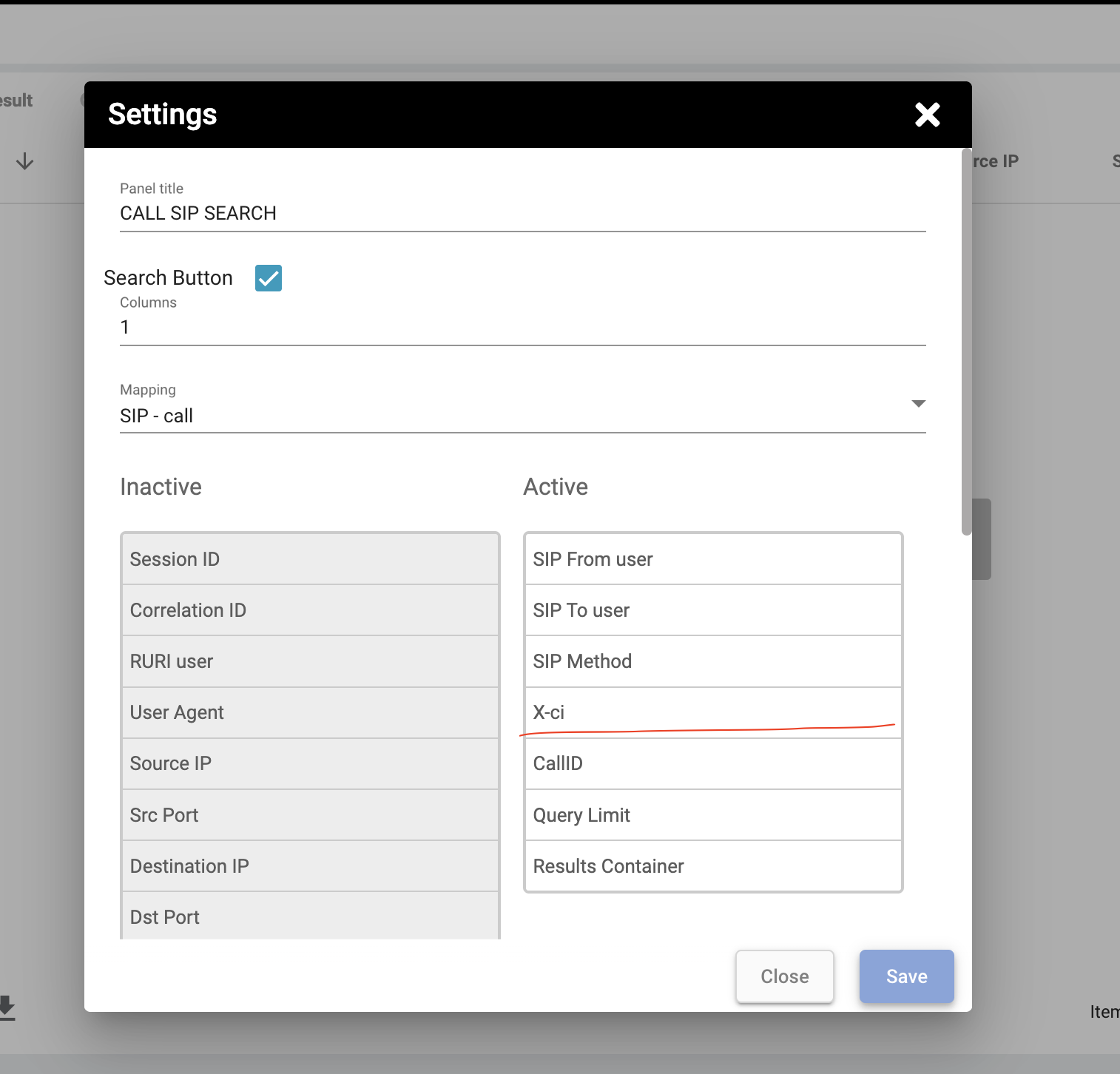
Then in the settings window, make sure you drag x-ci (call_id from our app) to Active Tab
You can search for a call by From and To phone number.
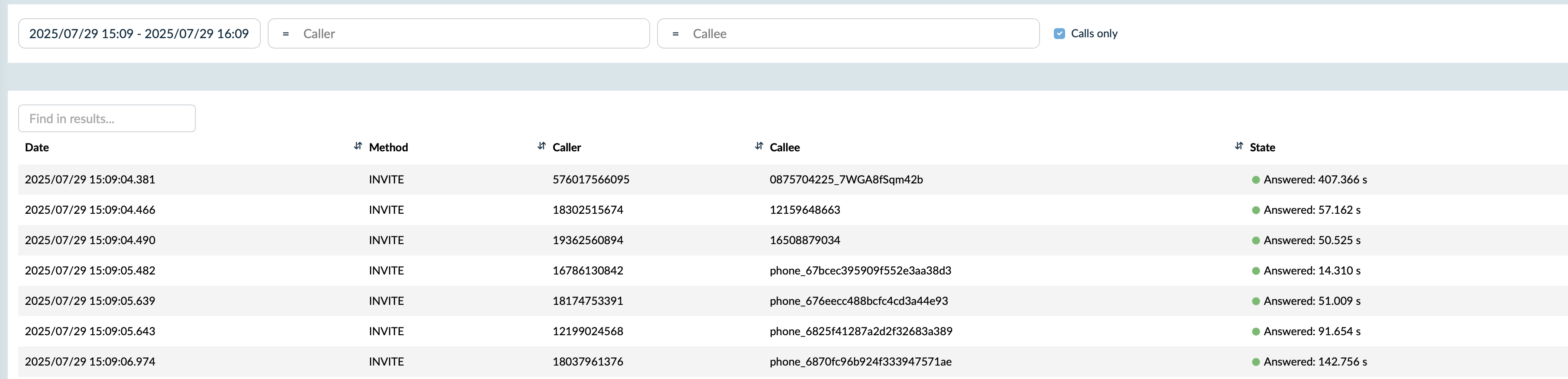
Or search by call id by using the x_ci header.

Each call has different events.
INVITE:
This is a request to initiate a call or session. It’s sent by the caller to invite the callee to participate in a SIP session (e.g., a voice or video call). It typically includes details like session type and media capabilities.
407 (Proxy Authentication Required):
This response indicates that the request requires authentication. The proxy server requires the client to provide credentials to continue the process. It’s part of the SIP challenge-response authentication mechanism.
ACK:
This is used to acknowledge a final response to an INVITE request. For instance, after receiving a 200 OK for an INVITE, the caller sends an ACK to confirm receipt. It also completes the SIP handshake.
403 (No International Permission):
Geo permissions problem on twilio
100 (Trying):
This is a provisional response indicating that the server is attempting to process the INVITE request. It assures the caller that the request has been received and is being worked on, but no final outcome is ready yet.
603 (Decline):
The account is not active
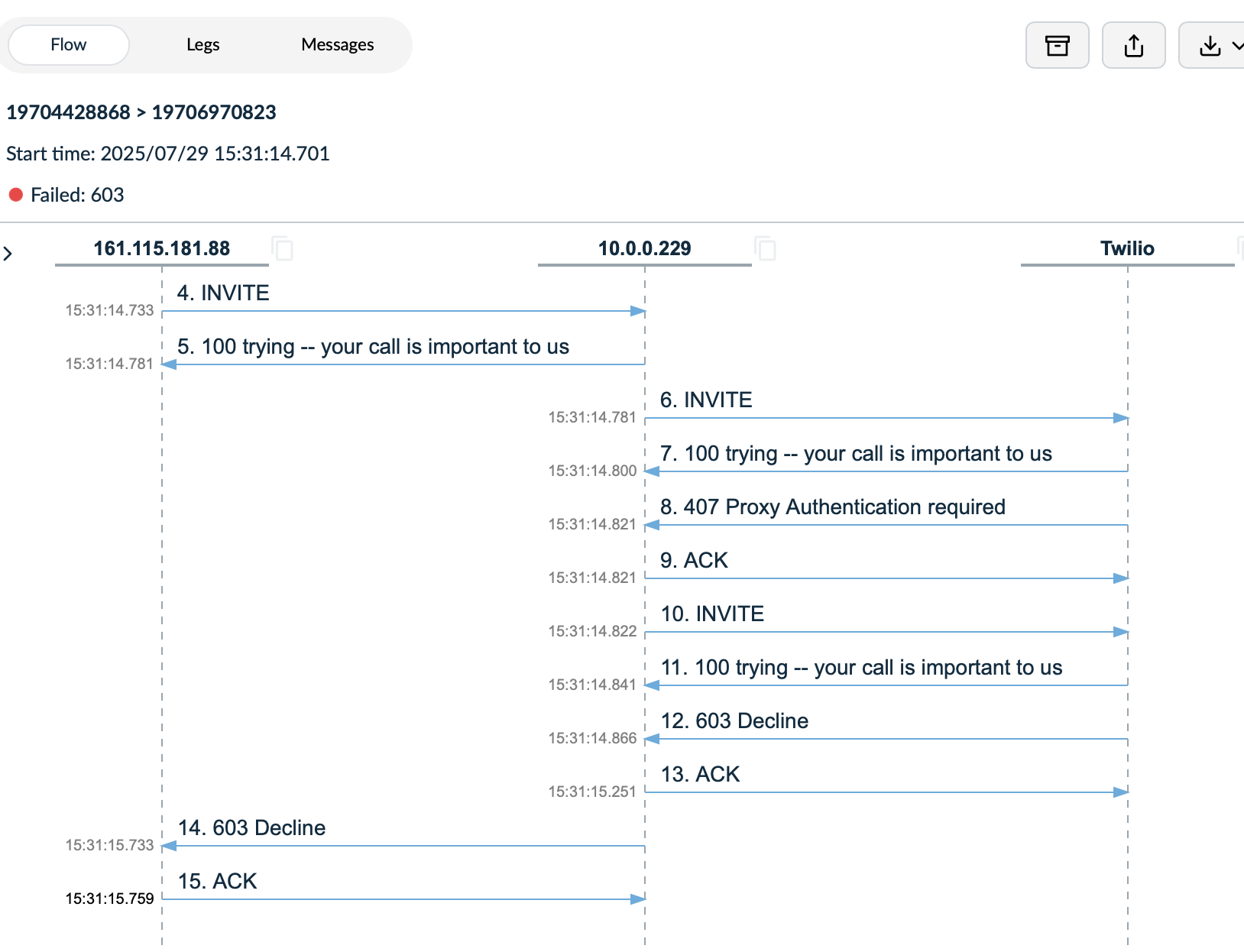
If you click on the event you are able to read the details.
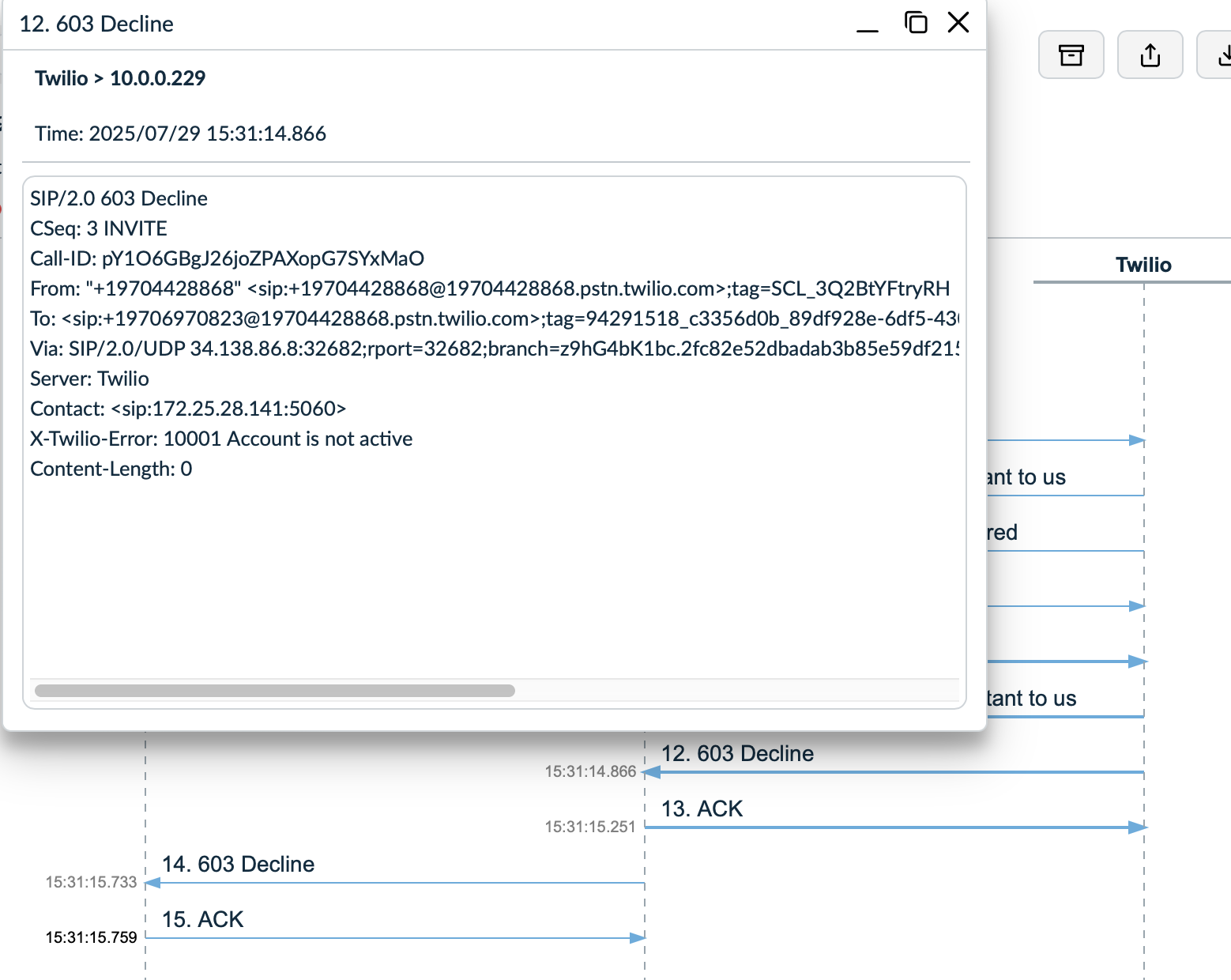
For twilio SIP calls sometimes you can see errors like "Geo permissions error" or "Credentials error" in the event logs.
If you are triaging calls you can share the payload of the events with the telephony / backend team.